
Using spellcache › Decks
Decks
A deck in spellcache follows the life of a real deck: you plan it, gather the cards, build it, and one day take it apart.
| Stage | Where it lives | What it means |
|---|---|---|
| Plan | Decks tab | A list of cards, owned or not. Nothing moves in your collection. |
| Assemble | Decks tab | You are gathering the cards: spellcache shows what you own and what is missing. |
| Built | Collection › Decks | The deck reserves the copies it uses; they are no longer free for other decks or trades. |
| Dismantled | Decks tab | The cards went back to the collection, or left it. The list stays. |
A built deck can be moved back to Assemble, and a dismantled deck restarted as a plan.
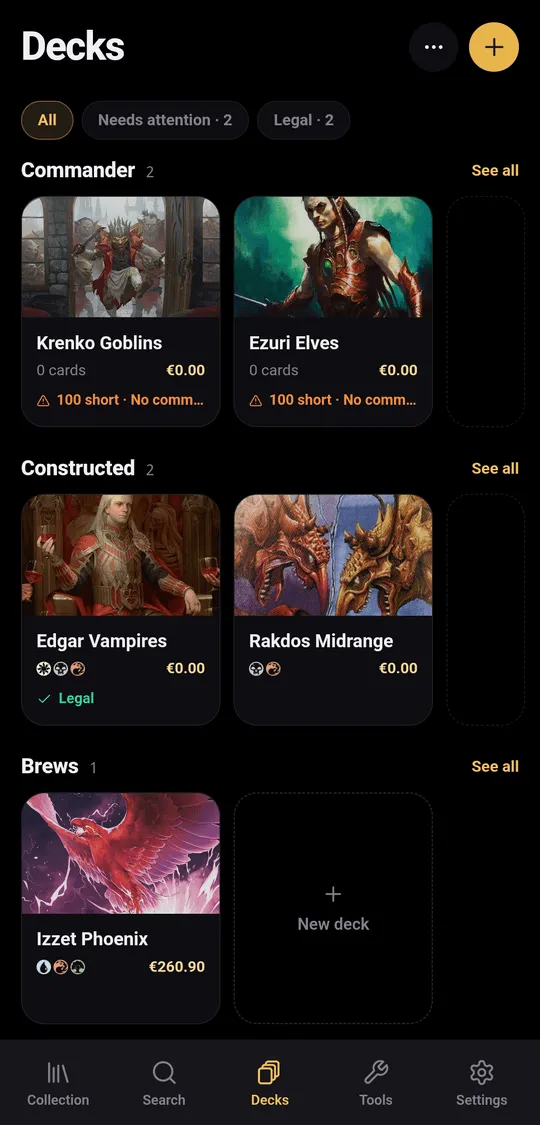
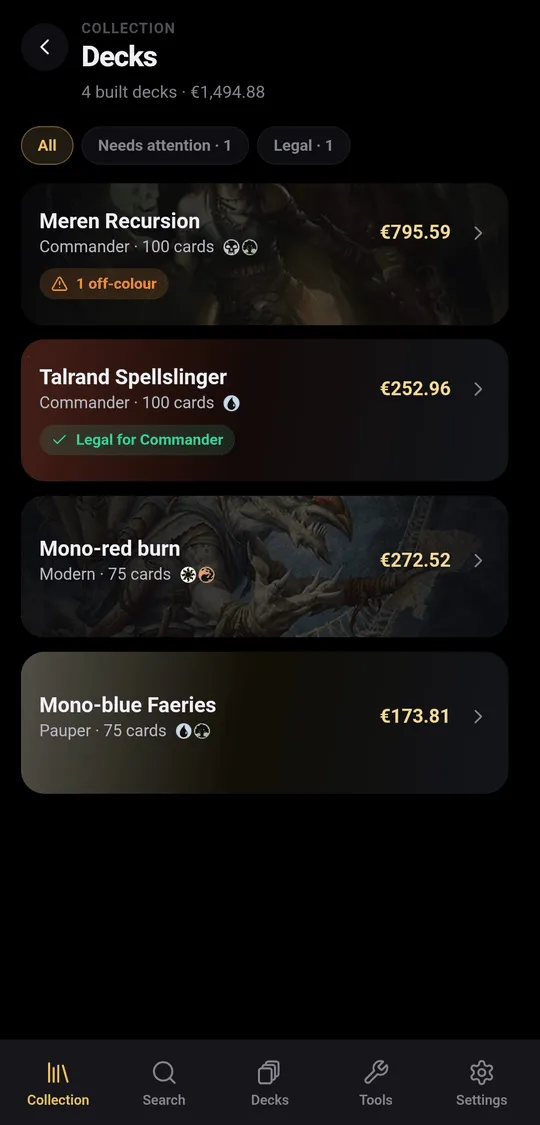
The Decks tab
Decks that are not built sit on folder shelves; Unsorted holds those without
a folder. Folders have one level only (··· › New folder). Long-press a
deck to Edit, Move to, Duplicate or Delete it; deleting a folder
keeps its decks.
Filter chips show All, Needs attention, Legal and No format.
Create a deck
Tap +, give the deck a name and a format (or No format), and tap Create. To start from an existing list, use Import a deck (see Importing).
Build the list
Add cards opens a drawer that stays open while you add. Pick the zone first: Main, Side, or Cmdr for Commander decks. Each result shows how many copies you own and how many are already in the deck. Owned only limits the search to your collection; Legal in deck colours hides cards outside the commander’s colour identity. You can add cards you don’t own.
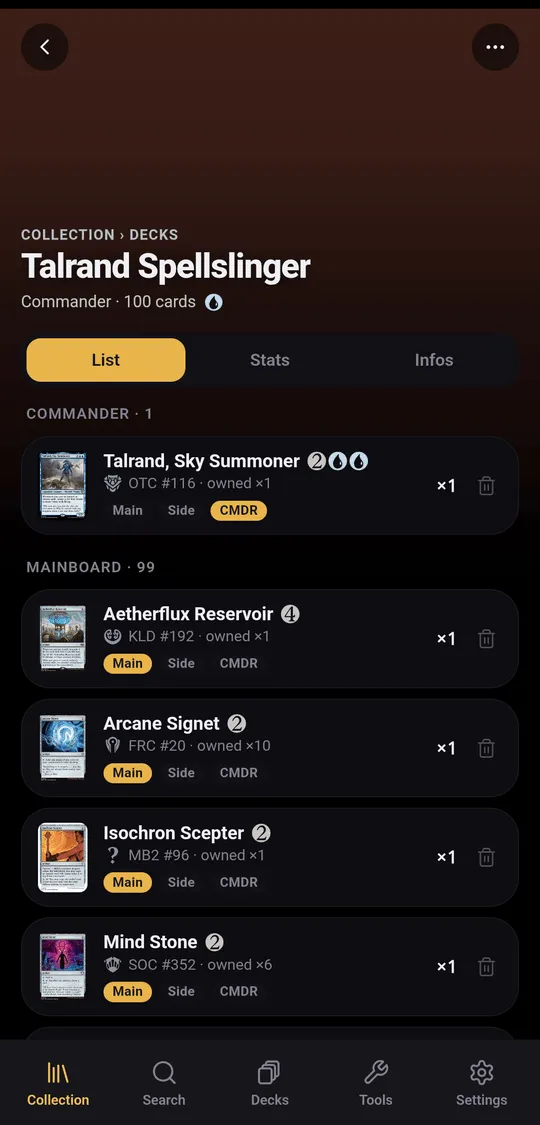
In the List tab, each card has a zone selector (Main, Side, CMDR) and a remove button. Stats shows the card count, average mana value, lands versus nonlands, the mana curve and the colour distribution. Infos shows how many cards you already own, what is left to buy and its cost, the deck’s value and your notes.
Formats and legality
Commander decks are checked: exactly 100 cards, singleton except basic lands, no banned or illegal card, a commander, and every card within its colour identity. The status reads, for example, Legal for Commander, or lists what is wrong (“36 short · 2 duplicates · 1 off-colour”).
The other formats (Modern, Standard, Pioneer, Legacy, Vintage, Pauper) are recorded on the deck but not checked. The commander zone holds one card.
Assemble
Assemble opens a sheet with three counts: owned, missing and to buy.
- Use from built decks borrows missing cards from your other built decks; Ignore cards in collection plans as if you owned nothing.
- In Missing, tick the cards you just bought, or Mark all as bought.
- Export missing sends the missing cards to Card Kingdom, Cardmarket (wants list), TCGplayer (mass entry), Moxfield or Archidekt, or as plain text or CSV.
Assemble with N cards builds the deck. Cards ticked as bought are added to your collection; cards you already own stay where they are, reserved by the deck.
Dismantle
From a built deck, ··· › Dismantle, then choose:
- Return the cards to the collection: they go back loose (or into the binder you pick), and the deck stays as a list;
- Remove the cards from the collection: for a deck you sold or traded away.
Share and playtest
··· › Share publishes a read-only page of the deck (see
Sharing). Playtest draws opening hands and plays
the first turns (see Table tools).